
How to Merge Two Photos into One with AI
AI photo merging combines two pictures into one natural scene — two people who were never in the same room, a product in a new setting, two moments in one frame. Here is how it works and how to blend photos in seconds.
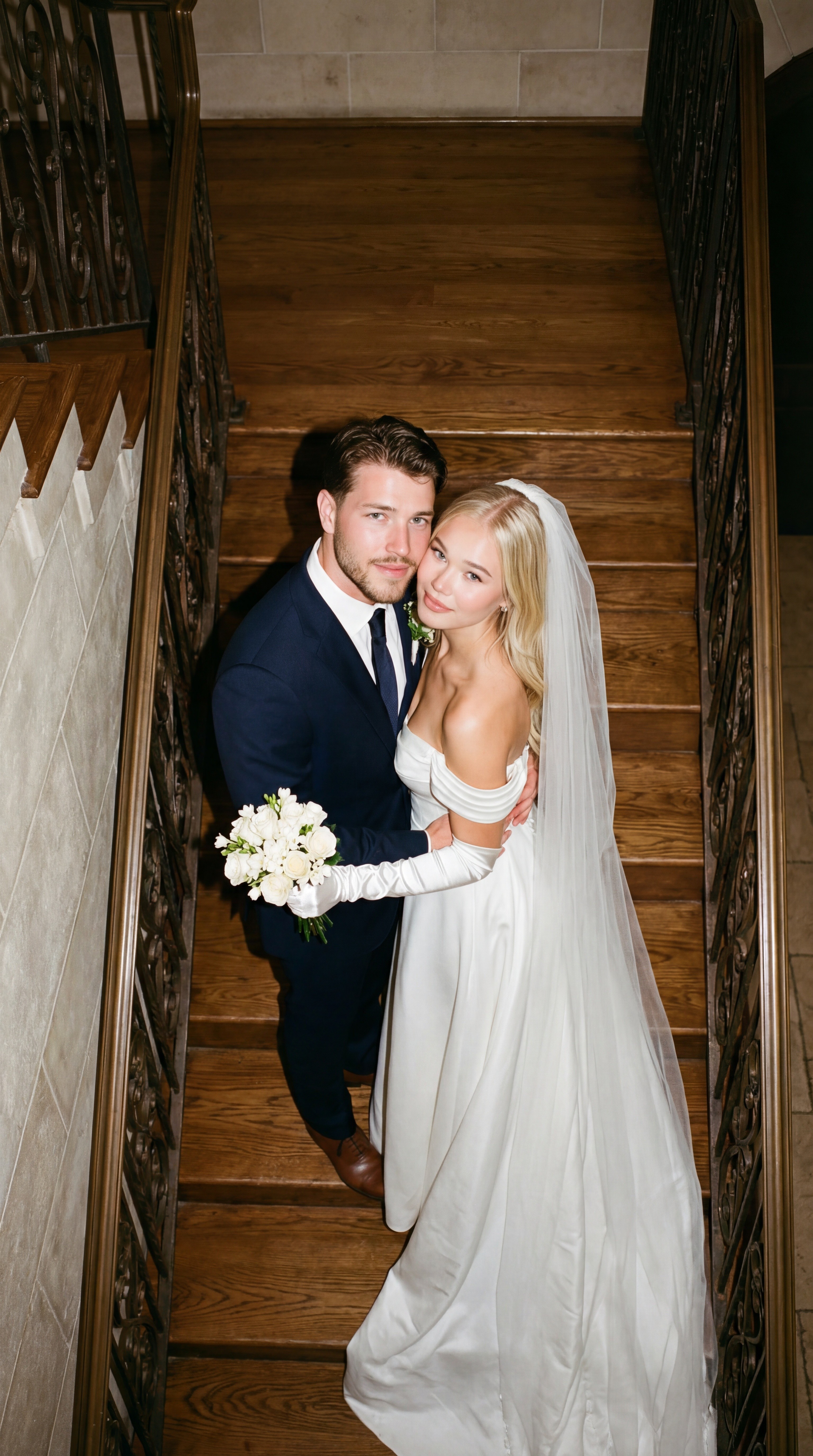
Merging two photos used to mean careful Photoshop work: cutting subjects out, matching light, painting shadows. AI photo merge does the whole job from two uploads and a sentence — it understands both images, then re-photographs them as one scene with consistent lighting, perspective and shadows.
What you can make by merging two photos
- People together — two people from separate photos, naturally side by side. Long-distance couples and family composites are the classic use.
- Person + place — put yourself into a travel shot you were never in.
- Product + scene — your product photo dropped into a lifestyle setting for ads.
- Two moments, one frame — combine two takes so everyone finally has their eyes open.
- Style fusion — keep the subject of one photo with the mood and palette of another.
Merge two photos in three steps
- Open Reelina's Photo Merge tool.
- Upload both photos (about 5 coins per merge).
- Describe the result: "the two people standing together on a beach at sunset, natural lighting" — then generate.
The prompt is what separates AI merging from copy-paste collages: you are describing the final photograph, and the model shoots it.
Tips for seamless merges
- Match the direction of light if you can pick between source photos — it is the #1 realism factor.
- Similar photo quality helps. A sharp photo + a blurry one shows; upscale the weak one first.
- Describe the setting, not the mechanics. "Both sitting on a park bench, autumn afternoon" beats "put person A next to person B".
- Iterate. Keep the inputs, adjust the scene wording, regenerate — each try is seconds.
Beyond merging: the same photos can do more
Once merged, the result is a normal image you can keep working with: edit it with a prompt, animate it into video, or run it through a template for a styled scene.
FAQ
Can AI put two people from different photos together? Yes — that is the core use case. The model rebuilds lighting and shadows so the pair looks photographed together.
Is there a free way to merge photos with AI? Quality merging runs on large edit models, so serious tools are paid. On Reelina a merge is ~5 coins — about 200 merges on the $9.99 Starter plan.
Do merged photos look real? With decent source photos, yes — consistent light and perspective are exactly what the model is trained for.
Can I merge more than two photos? Merge pairwise, then merge the result with the next photo — two at a time keeps quality highest.
Try it yourself
Every model on one credit balance, straight in your browser. No install, no watermark.
Start creatingKeep reading
 What Can AI Generate? 12 Things You Can Create TodayAI can generate far more than chat: photos, videos, voices, music, subtitles, restored memories and more. A practical tour of 12 things you can create with AI right now — with real costs and where to try each one.
 AI Image Generator: How to Create AI Images from TextAn AI image generator turns a written description into a finished picture in seconds. This guide explains how text-to-image models work, how to write prompts that get the image you imagined, and which models to use in 2026.
 AI Photo Editor: Edit Any Photo with a Text Prompt (2026 Guide)AI photo editing lets you retouch, restyle, and transform any picture just by describing the change. Here is how AI photo editors work, what they can (and cannot) do, and how to edit a photo with AI in under a minute.