
AI Character Video Generator: How to Keep the Same Character in Every Clip
Why AI video characters drift, and four ways to keep the same character in every clip: story mode, reference-to-video, one portrait, and talking photos.
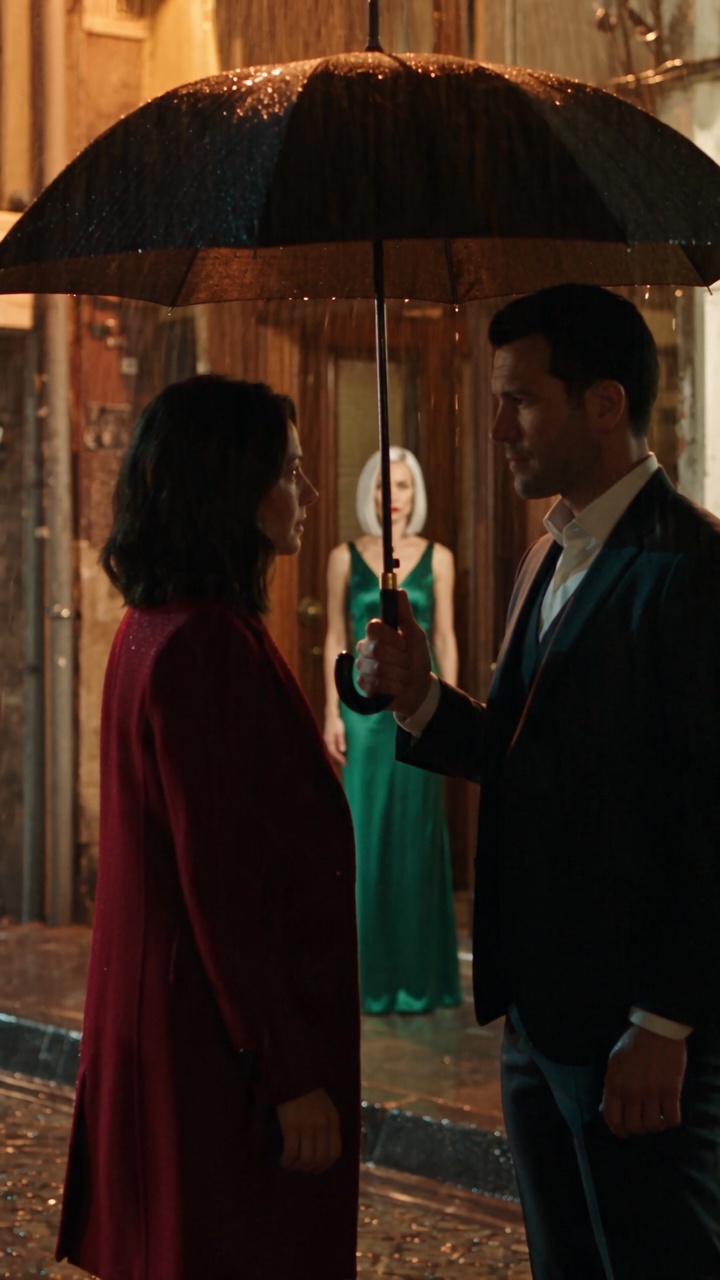
The hardest thing in AI video is not making one good clip. It is making the second clip with the same person in it. Generate twice from the same description and you usually get two different people.
This guide explains why that happens and the four ways Reelina keeps a character consistent — with the models and prices from our catalogue as of October 2026.
Why characters drift
No video model remembers anyone. Each generation starts from scratch: it reads your prompt and whatever images you give it, and nothing carries over to the next run. Nothing is trained on your character on Reelina.
So consistency has exactly one source: giving the model the same references every time. Every method below is a way of doing that well.
1. Let the story mode cast your characters
The AI drama generator handles the whole process for a multi-shot scene:
- You write the scene in plain words.
- The planner splits it into shots and lists the characters it needs. You see the plan and the price before anything is generated.
- Each character is drawn first as a reference portrait, and that portrait is given to the opening shot.
- Every following shot starts from the last frame of the previous one, so faces, clothes and light carry over without the camera jumping.
Dialogue can be spoken in the language you choose. This is the easiest way to get several shots with the same people.
2. Use a reference-to-video model with your own character
If you already have your character — a photo, an illustration, a product mascot — use a model built to take references:
| Model | Coins | What it takes |
|---|---|---|
| Seedance 2.0 Mini Reference-to-Video | 68 | Up to 9 images, 3 videos, reference audio |
| Seedance 2.0 Reference-to-Video | 136 | Up to 9 images, 3 videos, reference audio |
| Seedance 2.5 Reference-to-Video | 204 | Up to 30 images, 10 videos, reference audio |
| Vidu Q2 Reference-to-Video | 96 | 1–7 subjects |
| Kling Video O3 Std Reference-to-Video | 108 | Subject "elements" |
| Wan 2.7 Reference-to-Video | 152 | Up to 3 videos, one per character, which can carry its voice |
Give each character its own image, and give the same images to every shot. The full list of 26 models is in our reference-to-video guide.
3. Animate one portrait, shot after shot
The simplest method: keep one good portrait and use it as the start frame for image-to-video every time — on Kling 3.0, Seedance 2.0 or any other image-to-video model. Each clip begins with exactly your character.
4. Make the character talk or move on cue
- Talking: the Talking Photo app makes the person in a portrait speak — type the words or upload a voice.
- Moving: Motion Control takes the movement from a reference video and applies it to the character in your image.
How to write a character that stays the same
- Describe precisely. "A woman" gives a different woman each time. "A 28-year-old woman, shoulder-length dark brown hair, hazel eyes, red wool coat" gives the same one.
- Make a clean reference. Full body or head-and-shoulders, plain background, facing the camera, even light. Dramatic light in the reference ends up in every scene.
- Keep the cast small. Two or three main characters stay recognisable; crowds drift.
- Only pass the characters who are in the shot. Extra references put people where they do not belong.
FAQ
Can AI keep the same character across videos? Yes, by giving every generation the same reference image or images. The model does not remember the character between runs; the references carry it.
What is the best AI character video generator? For a whole scene, a tool that casts reference portraits and chains shots — Reelina's AI drama generator does both. For single shots with your own character, a reference-to-video model such as Seedance 2.0 (up to 9 reference images).
Is anything trained on my character's face? No. References are used for that generation only. Nothing is trained or stored as a model.
Do I need an API key or a separate subscription? No. Every model runs in the browser on one Reelina coin balance. There is no free tier; the exact cost is shown before each generation.
Try it yourself
Every model on one credit balance, straight in your browser. No install, no watermark.
Start creatingKeep reading
- How to Make an AI Short Drama Series (Step by Step)How to make an AI short drama series: a series bible, consistent characters, last-frame shot continuity, dialogue and a score — with real costs from a ten-episode test.
 Lip Sync AI: How to Make a Video (or a Photo) Say New WordsLip sync AI two ways: re-voice an existing video or make a photo talk. The apps, the models, their prices in coins, and what makes the result look real.
 Reference to Video AI: Every Model, Its Limits and Its PriceReference-to-video AI keeps your characters, products and voices in a new shot. Every model on Reelina, how many references each takes, and its price.